Changing a password does not provide a universal guarantee that every device, application, and delegated connection loses access immediately. For a personal Google or Microsoft account, check the provider's sign-out controls and connected applications as well as changing the password.
If you suspect unauthorized access, perform recovery from a device you trust and use the provider's official account pages. This guide covers personal accounts; work and school accounts can have administrator-managed session controls. A password change is one part of containment, not the entire process.
Separate four kinds of access
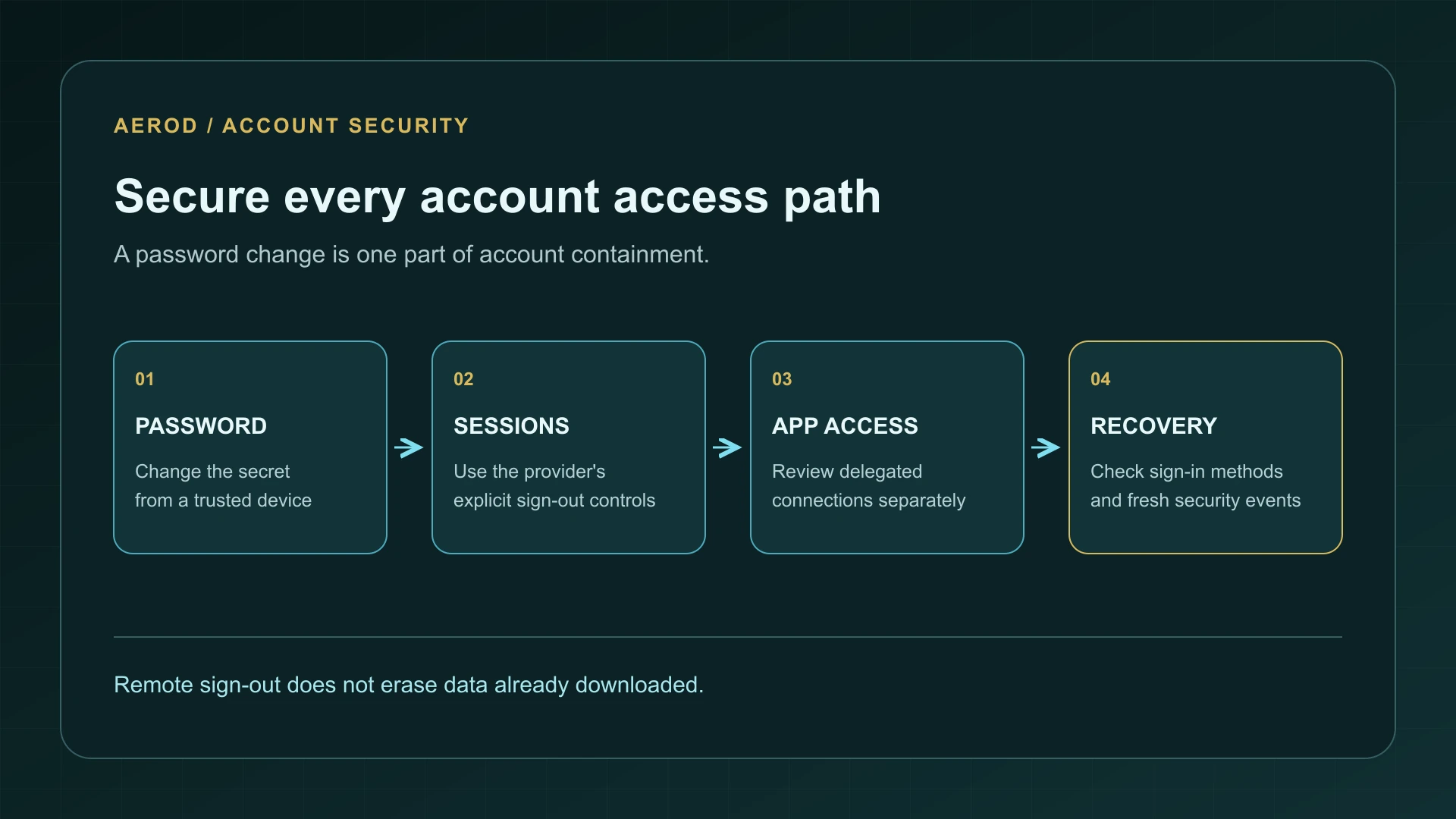
On narrow screens, scroll the table horizontally.
| Access type | What to review | Why it is a separate check |
|---|---|---|
| Password | The secret used for a password-based sign-in | Replacing it does not describe every existing session's lifetime |
| Signed-in session | A browser, application, or device already using the account | The provider determines when that session must authenticate again |
| Connected application | Permission granted to another service | Delegated access is not simply another copy of your password |
| Recovery and sign-in methods | Recovery contacts, trusted methods, and other ways back into the account | Removing one route is insufficient if an unauthorized route remains |
OAuth's token-revocation specification treats revocation as an explicit mechanism and recognizes implementation details such as propagation. It does not specify a universal consumer-account password-reset policy. Check what your provider promises instead of transferring a behavior from another service.
What happens when you change a Google password?
Google documents that changing or resetting the password signs you out broadly, with exceptions. Those include devices used to verify your identity, some devices with third-party applications that have account access, and certain home devices granted access. The December 2025 password-change guidance lists those exceptions.
That means “I changed the password” and “I reviewed every remaining access path” are different statements. After replacing a compromised or reused password, open the account's security area and inspect devices and connections. Do not assume an entry you can still see must represent a currently active attacker.
Review Google's devices and sessions
- Open your Google Account through a known bookmark or the provider's own navigation.
- Go to Security & sign-in, then Your devices and Manage all devices.
- Inspect entries you do not recognize, including their session details.
- Sign out of sessions you cannot account for. If several unfamiliar sessions share the same device name, review and sign out of each relevant session rather than assuming they are one entry.
Google's device-access guidance from December 2025 explains that one device can have several sessions, and that recently used devices can remain listed. Times can reflect background communication, not just a person actively opening the account.
Use the signed-out indication and the detailed activity together. A familiar device name is not sufficient proof of ownership, but multiple entries or a recent timestamp are not sufficient proof of compromise either.
Use Microsoft's explicit sign-out-everywhere control
For a personal Microsoft account, open the account security dashboard and its advanced security options. Locate Sign out everywhere and select the sign-out action. This is the documented containment control to inspect rather than assuming that changing the password or removing a device listing has already done the same thing.
Microsoft's March 2026 sign-out guidance allows up to 24 hours and identifies an Xbox-console exception. Handle console sign-out through Microsoft's Xbox instructions when applicable. Do not describe the general control as instant revocation across every product.
Record when you requested sign-out. During the documented interval, continue securing recovery methods and applications. If unauthorized activity continues, use official account-recovery support; do not repeatedly change unrelated settings in the hope of forcing a faster result.
Revoke connected-app access separately
In your Google Account, inspect linked apps (third-party connections) and distinguish an application using Sign in with Google from one that has permission to access Google account data. Select the connection, review its details, and remove the access you no longer authorize.
The Google Account linked-app guidance describes different connection types and their removal controls. Ending a connection can stop useful features. It also does not necessarily delete information the other service already holds or delete the account you created there.
Source update, September 5, 2026: this connected-app reference now uses Google's current guidance. The earlier archived link opened an anti-bot page rather than the cited documentation; it could not substantiate the January 2026 attribution.
For other providers, use their own application-permission controls. Do not assume a Google procedure or a Microsoft device list manages every service you once connected. If an application has its own account and recovery settings, review those through that application's official site.
Check how someone could regain access
Review the recovery email address and phone number, enabled sign-in methods, and any unfamiliar security changes. Preserve a recovery method you control before removing an old one, so the containment process does not lock you out. Never approve an unexpected sign-in prompt or disclose a one-time code to someone claiming to help.
If the affected account is your email account, also inspect unfamiliar forwarding and inbox rules. Removing an active session does not explain whether settings were changed while someone had access. Keep a record of suspicious changes before correcting them.
The data breach response checklist covers broader recovery priorities. If a personalized message is steering you into a supposed security check, use the post-breach phishing guide to verify the request through an independent channel.
Verify containment without treating old data as live access
- Confirm that the password was changed through the genuine provider.
- Record the explicit session sign-out actions and their times.
- Check connected apps and recovery settings for anything unauthorized.
- Review fresh security events after the provider's stated sign-out interval.
- Distinguish new successful account activity from a device's ability to display previously downloaded email or files.
A remote sign-out is not a remote erase. Information already downloaded to another device may remain there, even after new account access is stopped. Conversely, an old device name remaining on a page does not establish that it can still make authenticated requests.
If you cannot regain control, the recovery process changes unexpectedly, or new unauthorized actions continue, stop relying on the checklist alone and contact official support. For a work or school account, give the administrator the relevant events and times so they can investigate the managed identity system.
FAQ
Does changing my Google password sign out every device?
Google documents exceptions, including some verification devices and third-party or home-device access. Review devices, sessions, and connected applications separately.
How long can Microsoft's sign-out-everywhere action take?
Microsoft states that it can take up to 24 hours and excludes Xbox consoles from that general action.
Does removing app access delete data the app already received?
Not necessarily. Ending access and deleting data held by another service are separate matters. Review that service's account and data controls.