Proxifier supports SOCKS4(A), SOCKS5, HTTPS, and optional plain HTTP proxy handling, but those labels do not describe interchangeable endpoints. SOCKS5 is a general proxy protocol. HTTPS in Proxifier means an HTTP proxy that accepts CONNECT tunneling on arbitrary permitted ports.
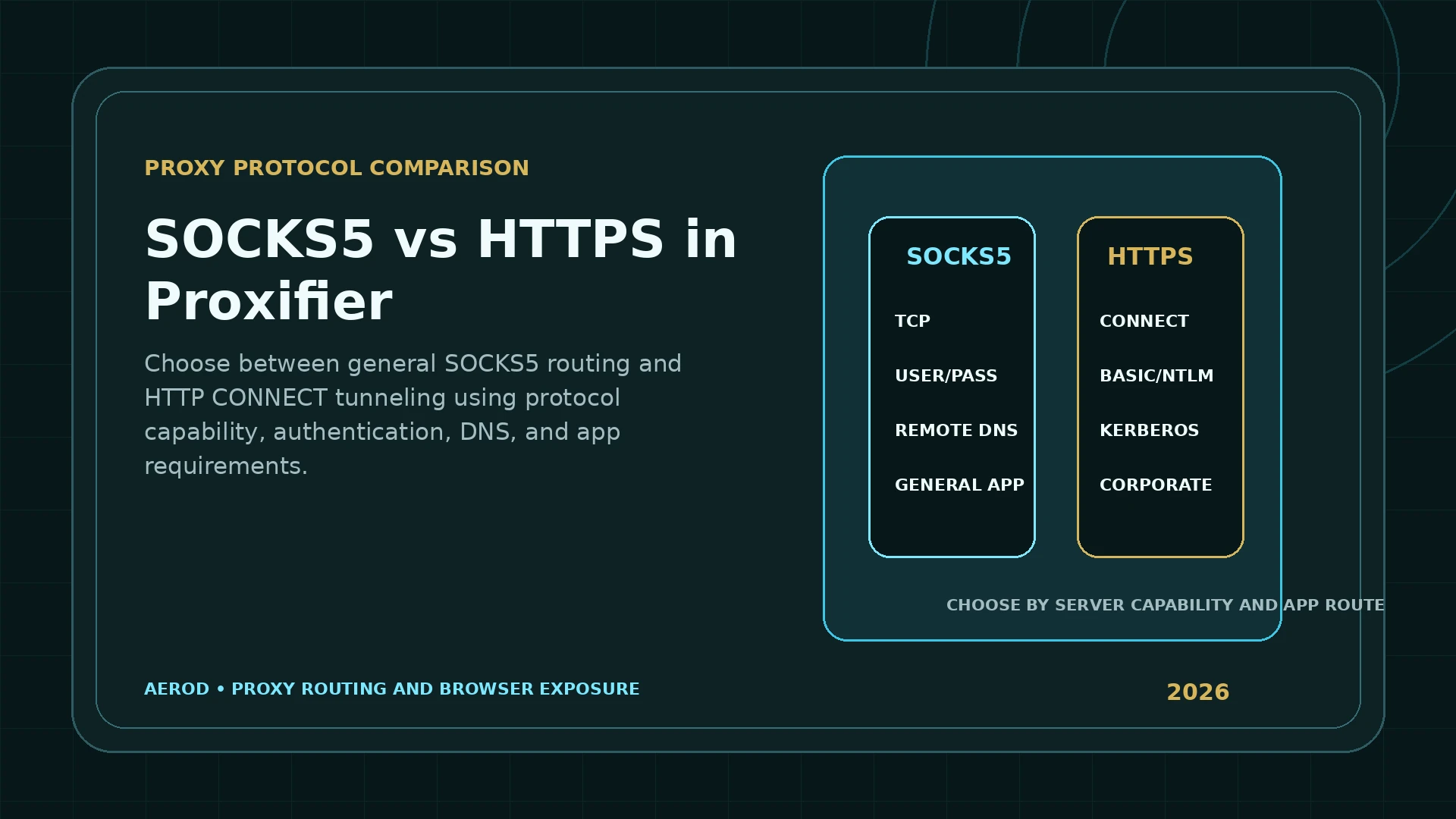
Decision rule
Use SOCKS5 as the general authenticated starting point; use HTTPS when the server supports CONNECT and the authentication model fits.
Do not add a plain HTTP endpoint as HTTPS merely because it works in a browser. Test the exact address, port, protocol, authentication, and target with Proxifier's Proxy Checker.
Protocol comparison
| Feature | SOCKS5 | HTTPS / CONNECT |
|---|---|---|
| Primary design | General proxy protocol for client connections | HTTP CONNECT tunnel through an HTTP proxy |
| General TCP use in Proxifier | Yes | Yes when the proxy permits CONNECT to the required port |
| Username/password | Yes | Yes |
| Enterprise authentication | Not the main Proxifier SOCKS5 model | Basic, NTLM, Kerberos, and current-user options are documented |
| Remote name support | Available through protocol/server behavior and Proxifier name-resolution settings | Available through Proxifier name-resolution settings and proxy handling |
| Plain HTTP browsing | Supported as general TCP traffic | Supported through the CONNECT-capable proxy |
| Arbitrary application ports | Depends on proxy policy | Requires CONNECT permission for those ports |
| Best fit | General app routing and provider credentials | Corporate gateways and HTTP CONNECT infrastructure |
What SOCKS5 provides
RFC 1928 defines SOCKS version 5 as a framework that relays connections through a proxy server. Proxifier documents SOCKS5 as a widely used protocol with username and password authentication.
Practical advantages:
- Designed for general proxying rather than only HTTP.
- Common among commercial proxy providers.
- Supports username/password authentication through RFC 1929.
- Fits per-application TCP routing.
- Works with Proxifier's proxy chains and rules.
Practical limits:
- The server can restrict destinations, ports, concurrent connections, or use cases.
- SOCKS5 does not make the application payload encrypted by itself.
- DNS behavior still depends on name-resolution configuration.
- An app with traffic outside Proxifier's supported or matched connections can use another path.
What HTTPS means in Proxifier
Proxifier uses the HTTPS label for an HTTP proxy with SSL tunnel support on arbitrary ports. It is also called a CONNECT or SSL proxy in the official documentation.
The HTTP CONNECT method asks the proxy to establish a tunnel to a target host and port. After the tunnel is created, the proxy forwards bytes between the client and target.
Plain HTTP proxy support is different
Proxifier can enable plain HTTP proxy support under Profile → Advanced → HTTP Proxy Servers. The official documentation explains that a plain HTTP proxy can be limited to HTTP connections.
Many HTTP proxies allow HTTPS CONNECT only to port 443. That can be enough for ordinary web browsing but insufficient for a desktop application that needs arbitrary TCP ports.
If the same server supports arbitrary CONNECT ports:
- Add it as HTTPS for general tunnel use.
- Add it separately as HTTP only when specific HTTP-only routing rules are needed.
- Test each configuration with Proxy Checker.
Authentication differences
SOCKS5
Proxifier supports username and password authentication. The RFC 1929 exchange sends a username and password within the SOCKS5 authentication subnegotiation. The underlying transport is not automatically encrypted, so the security of credentials depends on the network and server design.
HTTPS / CONNECT
Proxifier documents:
- Username and password.
- NTLM.
- Kerberos.
- Current-user transparent authentication.
- An optional User-Agent value for proxy servers that expect browser-like requests.
This makes HTTPS/CONNECT a natural fit for some enterprise proxy environments. Use the method required by the proxy administrator; do not enable NTLM or Kerberos for an unrelated public endpoint.
DNS and name resolution
Protocol choice does not settle the DNS path. Proxifier's Name Resolution profile controls whether hostnames resolve locally or through the proxy.
When proxy-side resolution is enabled:
- Proxifier can assign placeholder addresses such as
127.8.*.*. - IP-address rules do not see the real destination address locally.
- Hostname-based rules are safer.
- Verbose logs show DNS processing.
Read Proxifier DNS Leak Fix before changing name-resolution behavior.
Which protocol fits common use cases?
| Use case | Start with | Reason |
|---|---|---|
| General desktop application routing | SOCKS5 | Broad TCP proxy use and common provider authentication |
| Corporate proxy requiring Windows credentials | HTTPS | Proxifier supports NTLM, Kerberos, and current-user options |
| Browser-only HTTP traffic through a basic proxy | HTTP with narrow rules | Plain HTTP support is limited and must be enabled intentionally |
| HTTPS website access through a CONNECT proxy | HTTPS | The proxy tunnels the TLS connection |
| Provider endpoint explicitly labelled SOCKS5 | SOCKS5 | Match the documented server protocol |
| Unknown endpoint that works only in browser proxy settings | Test before deciding | It may be plain HTTP or restricted CONNECT |
Test with Proxy Checker
- Add the server with the protocol you believe it supports.
- Enter authentication exactly.
- Open Proxy Checker.
- Leave Work through Proxifier disabled for the direct endpoint test.
- Use a target host and port representative of the permitted application traffic.
- Enable or disable individual checks as needed.
- Record response time and failures.
- Repeat with the alternate protocol only when the server documentation supports it.
A successful port-443 test does not prove arbitrary CONNECT support. Test the actual port or application target when provider and policy rules allow it.
Rule design for each protocol
SOCKS5 application rule
Name: App via SOCKS5
Applications: "C:\Tools\Client.exe"
Target hosts: Any
Target ports: Any
Action: MY_SOCKS5
HTTPS CONNECT application rule
Name: App via HTTPS proxy
Applications: "C:\Tools\Client.exe"
Target hosts: Any
Target ports: 443;8443
Action: MY_CONNECT_PROXY
Start broad enough to prove the route, then narrow host and port criteria. Keep Localhost and Default direct for a selective setup.
Performance and reliability
Protocol labels do not predict performance by themselves. Latency and reliability depend on:
- Distance to the proxy.
- Proxy load.
- Authentication overhead.
- Target distance from the proxy.
- Provider capacity and policy.
- Proxy chains.
- DNS path.
- Application connection pattern.
Use Proxy Checker latency as an endpoint signal, then test the real application. A low checker response time does not guarantee the target will accept or perform well through the route.
Security and privacy limits
- A proxy can observe destination and connection metadata according to protocol and encryption.
- Unencrypted application traffic remains unencrypted unless another security layer protects it.
- Credentials must be protected according to the proxy and transport design.
- A changed public IP does not hide browser fingerprinting, cookies, or account state.
- DNS and WebRTC require separate checks.
- Other applications can remain direct.
Protocol selection checklist
Match the server and application
- Confirm the server's documented protocol.
- Confirm required target ports.
- Confirm authentication type.
- Test the endpoint with Proxy Checker.
- Test the real application.
- Review name-resolution mode.
- Verify IPv4 and IPv6.
- Check WebRTC and DNS separately for browsers.
- Keep unmatched traffic direct during initial validation.
FAQ
Which is better in Proxifier: SOCKS5 or HTTPS?
SOCKS5 is a strong general choice for authenticated TCP application routing. HTTPS is appropriate when the proxy supports CONNECT tunneling and especially when an enterprise proxy requires HTTP authentication methods.
Is an HTTPS proxy the same as an HTTP proxy?
No. In Proxifier terminology, HTTPS means an HTTP proxy that supports CONNECT tunneling on arbitrary permitted ports. A plain HTTP proxy can be limited to ordinary HTTP connections.
Does HTTPS in Proxifier encrypt every application's data?
No. CONNECT creates a tunnel through the proxy. End-to-end payload encryption still depends on the application protocol, such as TLS used by HTTPS.
Can SOCKS5 use a username and password?
Yes. Proxifier supports SOCKS5 username and password authentication as defined by RFC 1929.
Which protocol is better for corporate authentication?
An HTTPS proxy can support Basic, NTLM, Kerberos, and current-user transparent authentication in Proxifier. The correct choice depends on the corporate proxy configuration.
Does choosing SOCKS5 or HTTPS determine DNS privacy?
Not by itself. DNS behavior also depends on Proxifier name-resolution settings, application behavior, browser encrypted DNS, rule coverage, and the proxy server.