Control D published a new incident report on 20 October about its 11 October DNS outage. For readers, the practical question is how to recognize a resolver failure and recover without quietly changing a network's security policy.
What the new report establishes
In its 20 October postmortem, Control D attributes a roughly 54-minute failure of its paid DNS service to a shared configuration-format error. It says free DNS remained available. The report marks two initial repairs complete; additional validation and staged configuration delivery were unfinished. These are provider findings, not independent Aerod measurements.
This is analysis of a newly published report about an earlier incident, not a warning that an outage is happening now.
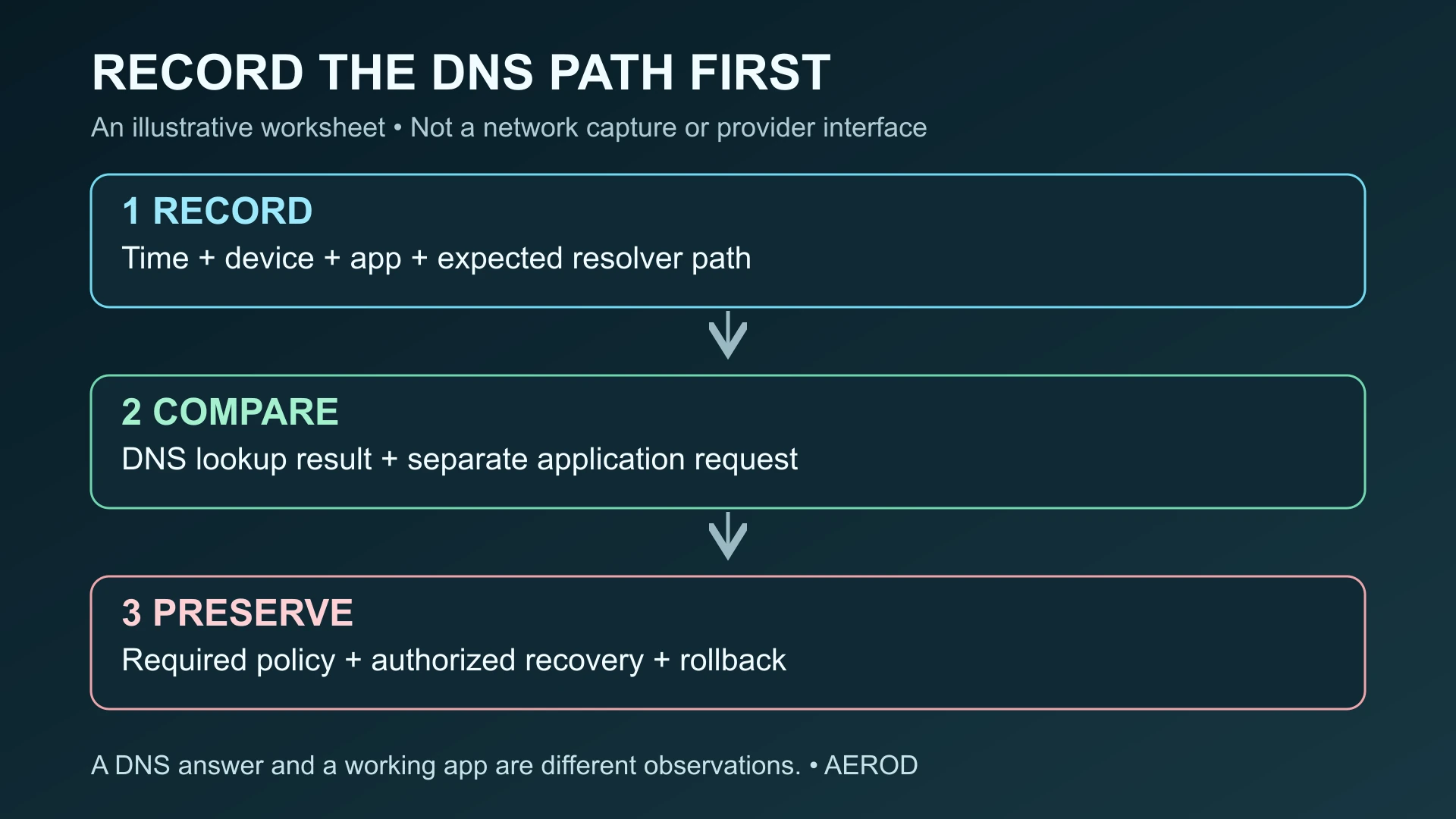
Separate a DNS reply from a working application
A resolver answers a naming question; opening a website also involves reaching a server and completing the application's connection. A successful lookup therefore cannot establish that a page, login, or video call works. Conversely, an application's failure message alone does not identify the resolver as the cause.
RFC 9499's server and client terminology distinguishes a device's stub resolver from recursive and forwarding services. That distinction helps describe your expected path: browser, operating system, router or local forwarder, then an upstream resolver. Your browser may instead use its own encrypted-DNS configuration. Record what is configured rather than assuming every application follows the same path.
Capture an observation before changing settings
Use this worksheet for one affected application. Keep results private where they contain device identifiers, internal names, or account-specific resolver addresses. It records observations to investigate, not a simulated outage log.
On narrow screens, scroll the worksheet horizontally.
| Record | What to write down | Why it helps |
|---|---|---|
| Time | Timestamp and time zone, including a later retest | Compare your observation with an incident notice |
| Device and app | Operating system, application, and network connection | Keep the comparison on the same client |
| Expected DNS path | System, router, local forwarder, browser setting, or managed profile | Identify which configuration the test concerns |
| Observed result | Exact lookup error or answer, then the application's separate result | Distinguish naming from service access |
| Provider notice | Source, publication time, affected service, and reported recovery | Do not infer your account's status from another service |
| Recovery plan | Authorized change, previous setting, rollback, and retest | Preserve required policy while investigating |
A read-only Windows check, with limits
For a public-name example, the following command asks the default DNS server used by nslookup about Aerod:
nslookup aerod.netMicrosoft's reference explains that omitting the second argument uses the default server. Record the server shown and whether the lookup returns an answer, times out, or reports another error. A timeout differs from a nonexistent-domain response; copying only the final line can lose useful context.
This command is an example, not an Aerod test result. One lookup does not establish the browser's DNS-over-HTTPS behavior, the VPN's resolver path, or the absence of leaks. Repeat the actual application request separately. Our DNS leak-test explanation covers why resolver observations and privacy conclusions are different.
Check policy before choosing a fallback
Several resolver addresses or locations can share configuration or an upstream dependency. More addresses do not prove an independent fallback. Ask your administrator or provider what fails separately.
Use an alternative DNS service only when your administrator or the person responsible for the network approves it. A change can alter filtering, privacy expectations, and access to internal names through split DNS. Capture the current setting and an approved rollback before making an authorized change. Do not disable VPN protection, firewall controls, or managed DNS profiles as a general troubleshooting shortcut.
Verify the intended service after recovery
Retest the original application on the original device, note the time, and confirm that required filtering and internal-name access still behave as intended. A provider's recovery notice and your successful request answer different questions; keep both observations in the record.
A browser's public IP is another separate observation. VPN route verification explains how to interpret it, and the browser leak workflow separates the available checks and their limits. Neither substitutes for observing the DNS path involved in your failing application.
Publication and review history
The assigned display timestamp is , after the report's publication. Preparation and primary-source checking were recorded on ; the editorial documentation review was completed at . Release checks followed. The earlier display timestamp is an editorial assignment, not a claim of earlier reporting. No Control D account, DNS failure, fallback, or client configuration was independently tested.